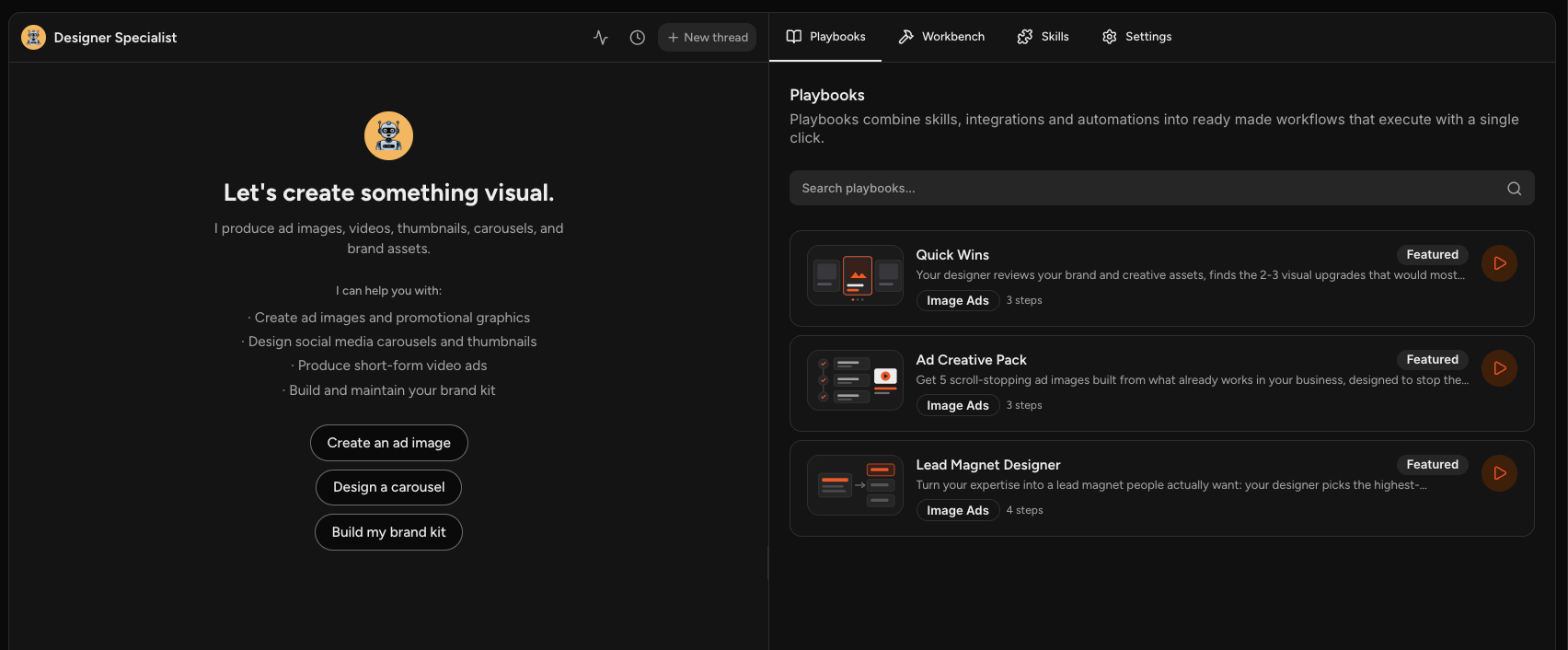
The Designer Specialist makes your ad images, videos, thumbnails, carousels, and brand assets.
It is the only specialist that creates visuals directly. Whenever anyone else on your team produces something that needs a picture, the Designer makes it.
Open Designer Specialist under Your Marketing Team.
What It Does
- Creates ad images and promotional graphics
- Designs social media carousels and thumbnails
- Produces short-form video ads
- Builds and maintains your brand kit
Quick Starts
Create an ad image, Design a carousel, and Build my brand kit are on the opening screen.
The Only One Making Visuals
The Ads, Content, Promotions, and Social Media Specialists all write. When their work needs a paired image or video, they hand it to the Designer, which produces the visual to go with it.
That happens on its own, so you do not have to arrange it. But it does mean the Designer is who you want when you need something visual with no copy attached.
Playbooks
- Ad Creative Pack produces five scroll-stopping ad images built from what already works in your business.
- Lead Magnet Designer turns your expertise into a lead magnet people actually want.
- Quick Wins reviews your brand and creative assets and finds the visual upgrades worth making.
Open the Playbooks tab for the current set.
Getting Work That Looks Like Yours
The Designer works from your brand settings, so your logo, colors, fonts, and voice all shape what it produces. Filling those in properly is the difference between output that looks like your brand and output that looks generic.
Connecting design and video platforms widens what it can do, covering tools for design, AI video, voiceover, video clipping, and hosting.
Frequently Asked Questions
Q: Can it build me a landing page?
A: No. Pages are built by Typeset, either from Webpages or using the Design menu on a text item in the Workbench. The Designer handles images and video.
Q: Where do the images it makes end up?
A: In the Workbench for that conversation, and in My Media under Images.
Q: Do I have to ask the Designer for visuals?
A: Not usually. Other specialists hand visual work over automatically. Go to the Designer directly when you want something visual on its own.
Q: Can I use my own fonts?
A: Yes. Upload them in your brand settings and they become available for your creatives.