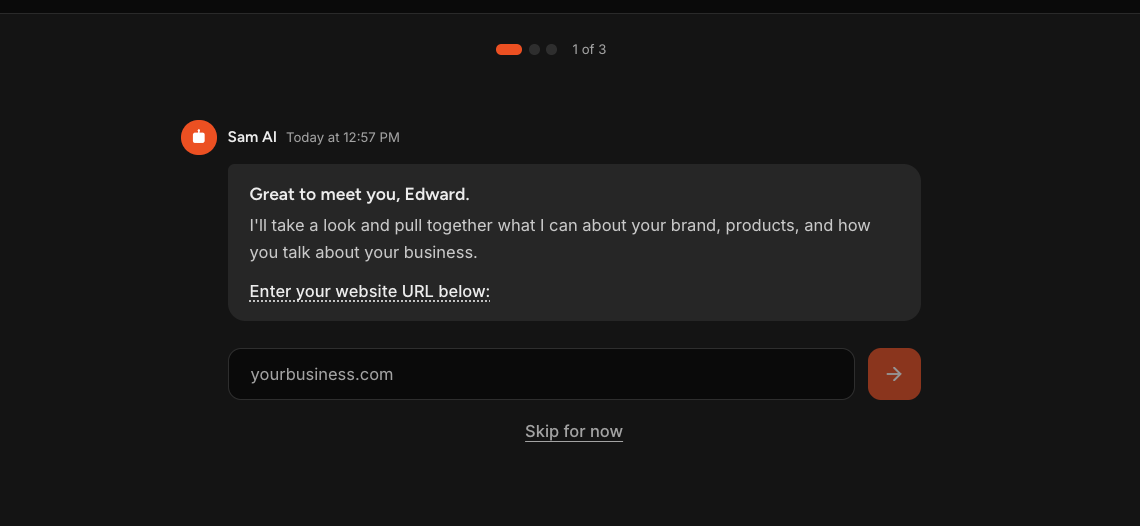
Setup takes three steps and teaches Sam what your business is before you ask it to do anything.
The first time you sign in, Sam walks you through it. Give Sam your website and it reads what it can about your brand and business, you connect any accounts you want it working with, and you review what it found.
The point is that Sam starts from your actual business rather than a blank page. The more it knows up front, the less you have to explain later.
Step 1 - Share Your Website
Sam asks for your website address. Enter it and select the arrow.
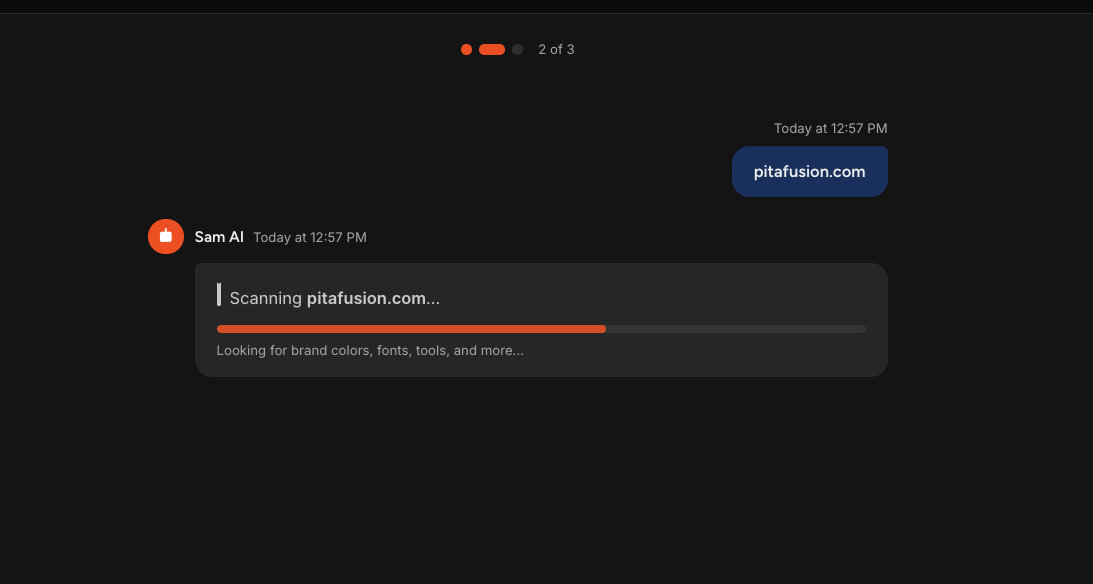
Sam reads your site looking for your logo, brand colors, fonts, how you describe what you do, and the tools you already use. Everything it finds is saved to your business profile.
NOTE: Skip for now takes you straight to your Home screen rather than to the next step. Your business profile stays empty until you come back and finish setup.
Step 2 - Connect Your Accounts
Sam offers your social accounts and ad accounts first, since those are what a marketing team works with most.
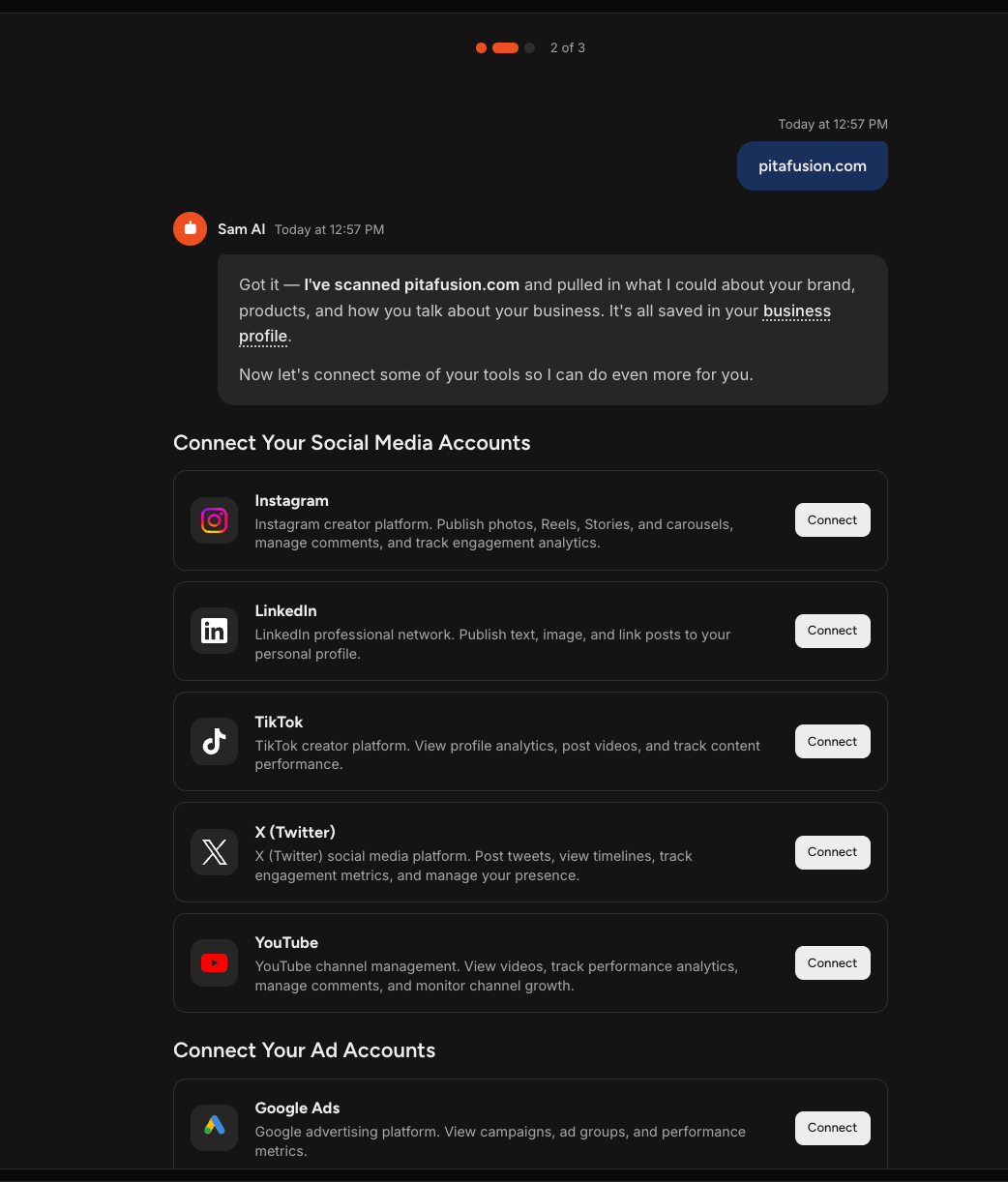
Select Connect on any platform you want Sam working with. Some connect by signing in, others ask for a key or token generated in that platform, and each one tells you what it needs and links to instructions for finding it.
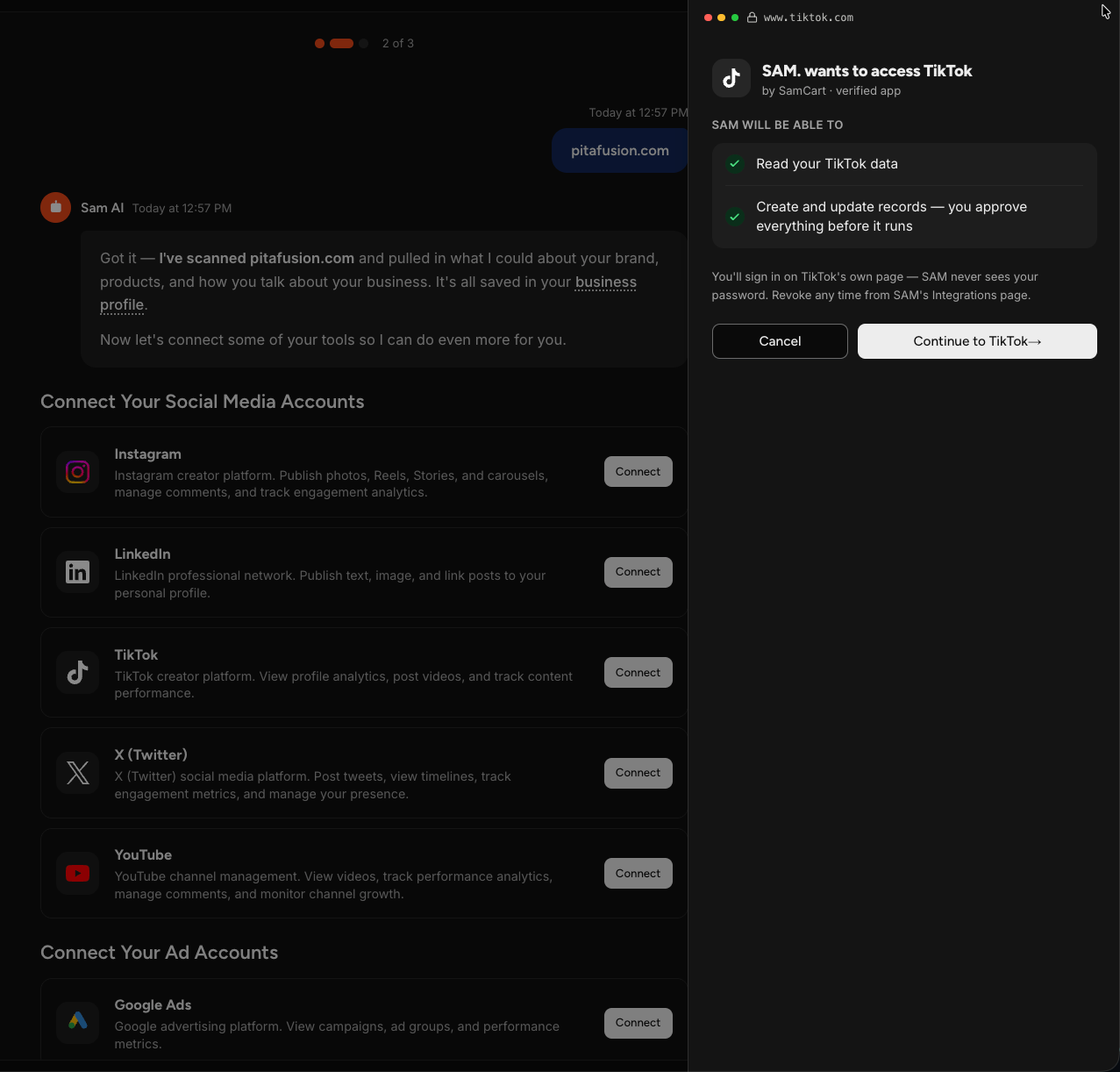
Every connection panel spells out what that connection lets Sam do before you fill anything in. Sam never sees your password, only the credentials you provide, and those are stored encrypted. You can disconnect a platform at any time.
Your scan may not have caught everything you use. Connect another tool opens the full marketplace, covering email platforms, CRMs, design tools, and more.
Connect as many or as few as you like. You can add the rest whenever you want. When you're ready, select See what I found.
Step 3 - Review What Sam Found
Sam shows you what it pulled together.
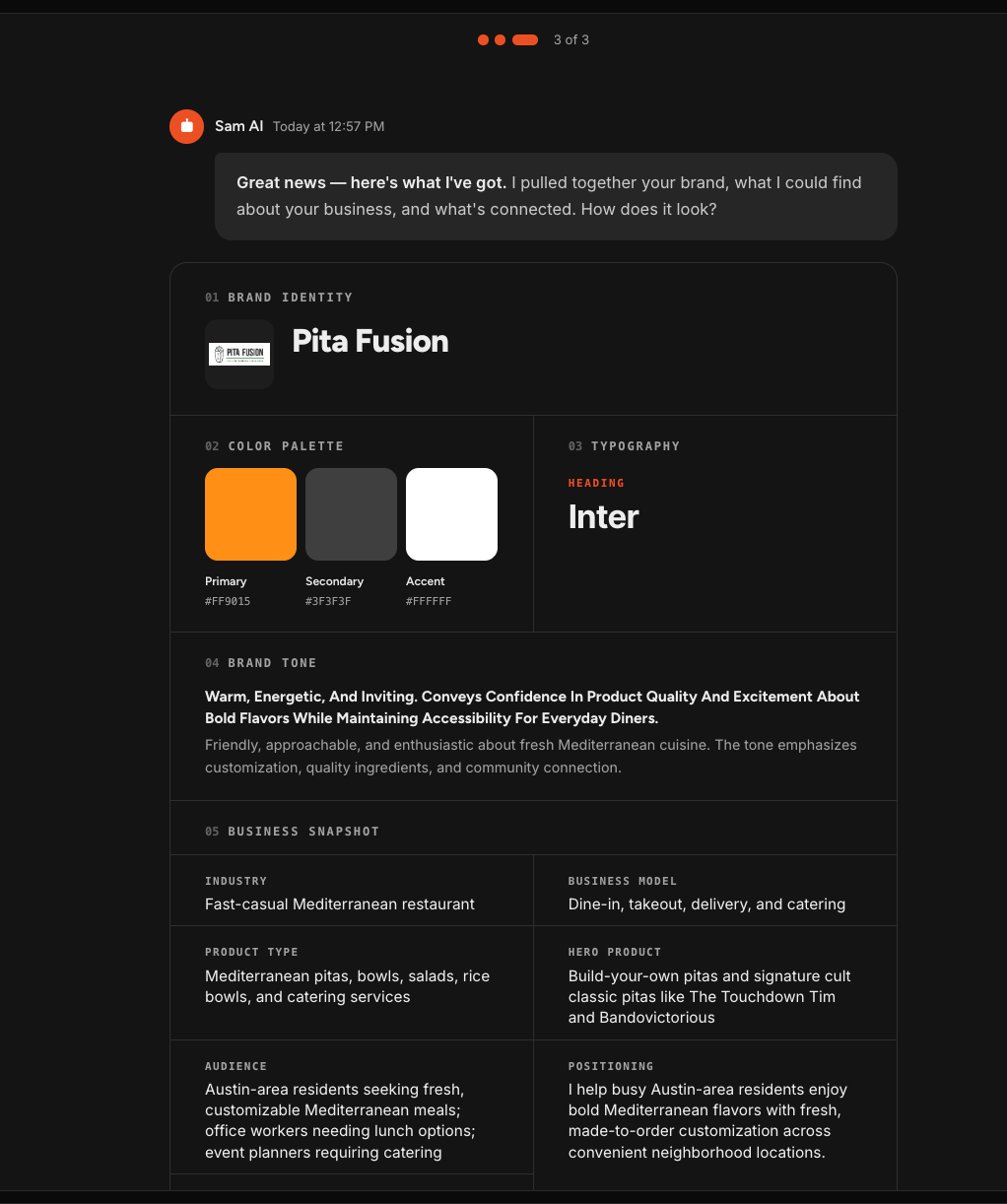
You'll see your brand identity and logo, your color palette with hex codes, your typography, a read on your brand tone, and a business snapshot covering your industry, business model, products, audience, positioning, and what makes you different.
This is worth actually reading. Everything here shapes the work your team produces, so anything wrong now means work that misses later.
If it looks right, select Start a conversation with Sam. If something is off, Or not quite right? Edit these settings takes you to your business profile to fix it.
Finishing Setup Later
You do not have to do it all in one sitting. While setup is incomplete, Finish setup appears in your left navigation and picks up where you left off.
Nothing you have already done is lost, and you can use Sam in the meantime.
Changing Things Afterward
Nothing from setup is locked in. Your business profile lives in your settings, where you can correct anything Sam got wrong or fill in what it could not find.
Sam also keeps learning about your business as you work with it, so the profile improves over time rather than only reflecting what your website said on day one.
Frequently Asked Questions
Q: Do I have to give Sam my website?
A: No, but it is the fastest way to get started. Skipping means Sam begins with an empty business profile, and you fill it in yourself or let Sam learn as you go. Select Skip for now and you will land on your Home screen.
Q: Do I have to connect my accounts during setup?
A: No. Connect what you want now and add the rest later from Connect your tools at the bottom of the left navigation. Connecting more does improve the work, because your team can then act on what is actually happening in your business.
Q: Is it safe to give Sam access to my accounts?
A: Each connection panel tells you exactly what that connection allows before you enter anything. Sam never sees your password, only the credentials you provide, and they are stored encrypted. You can disconnect any platform at any time.
Q: Can I stop partway through and come back?
A: Yes. Finish setup appears in your left navigation while setup is incomplete and takes you back to where you stopped.
Q: Sam got something about my business wrong. Can I fix it?
A: Yes. Select Or not quite right? Edit these settings on the final step, or open your business profile in settings at any time.
Q: Will Sam start doing things on its own once setup is done?
A: No. Setup gives Sam the context to work from, not permission to act. You still ask for what you want and approve what gets produced.
Q: Do I go through this again for another business?
A: Yes. Each business line runs its own setup, so a second business gets its own website scan, its own connections, and its own business profile.