Billing is where your plan, your payment method, your credits, and your invoices live.
Select the profile icon in the bottom left corner, choose Settings, then Billing.
Your Plan and Payment Method
Current Plan shows the subscription you are on.
Payment Method shows the card on file and its expiry date. Select Update to change it.
Credits
Credits are what your team spends doing work for you. Chatting, generating images, and running tasks all draw from the same balance.
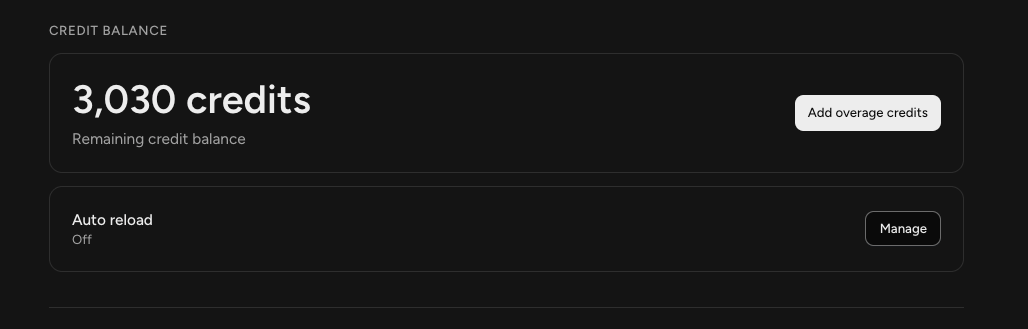
Credit Balance shows what you have left. Your plan includes an allowance that resets each period, and the reset date is shown alongside your usage.
If you need more before the reset, select Add overage credits to top up.
Auto reload tops you up automatically when you run low, so work does not stop mid-month. It is off unless you turn it on, and Manage is where you set it up.
Spend Limits
Two things are tracked here, and they are worth keeping separate in your head.
Plan usage is how much of your included allowance you have used, with the date it resets.
Usage spend is money spent beyond your plan in the current period.
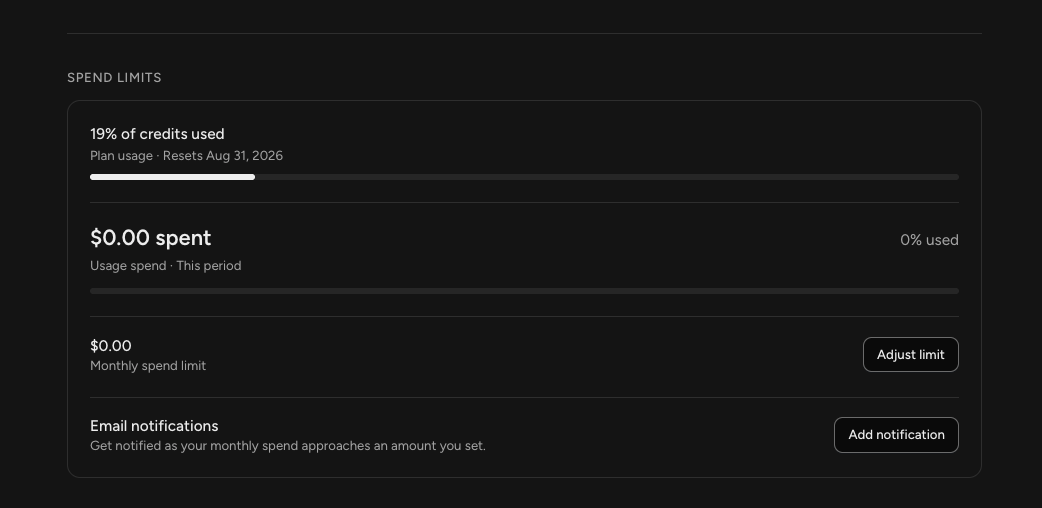
Monthly spend limit caps how much you can spend on top of your plan. Select Adjust limit to set it.
Email notifications warn you as your monthly spend approaches an amount you choose. Select Add notification to set one up.
Setting a limit and a notification together is the simplest way to avoid a surprise, particularly if you have auto reload turned on.
Invoices
Your invoices are listed at the bottom, each with its date, amount, and status. Select View to open one.
Frequently Asked Questions
Q: What are credits used for?
A: Everything your team does for you. Conversations, generating images, and running tasks all draw from the same balance.
Q: How do I see how many credits I have left?
A: Credit Balance in Billing. Your Home screen also shows credit usage for the month broken down by type, and AI Usage in the profile menu gives you a fuller view.
Q: What happens when I run out?
A: Select Add overage credits to top up, or turn on Auto reload so it happens automatically. Your plan allowance also resets each period, and the reset date is shown next to your usage.
Q: How do I stop unexpected charges?
A: Set a monthly spend limit with Adjust limit, and add an email notification so you hear about it before you reach the cap.
Q: What is the difference between plan usage and usage spend?
A: Plan usage is how much of your included allowance you have used. Usage spend is money spent beyond your plan in the current period.
Q: Where are my invoices?
A: At the bottom of Billing, with the date, amount, and status of each. Select View to open one.
Q: How do I change the card on file?
A: Select Update next to your payment method.