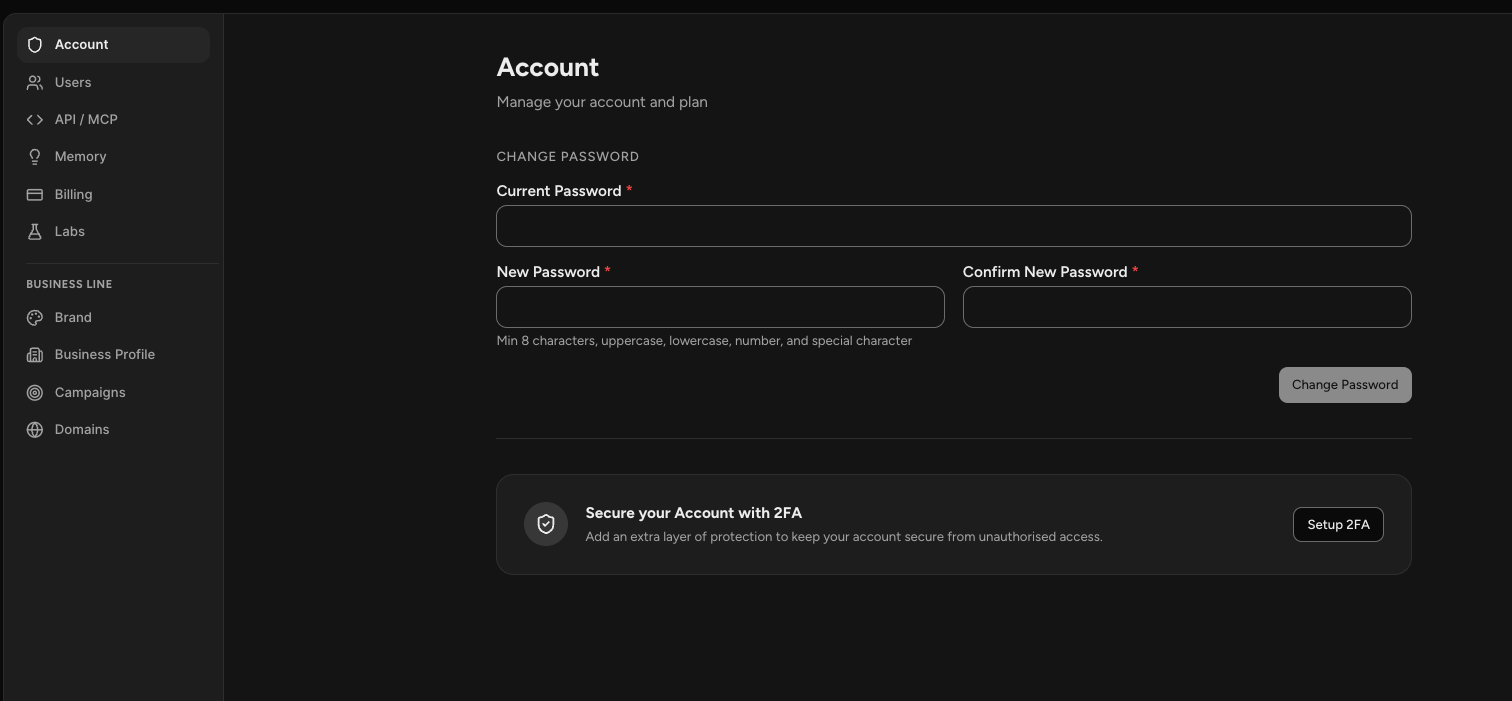
Settings covers your account and the business your team markets, split into two groups.
Select the profile icon on your account chip in the bottom left corner, then choose Settings.
The first group applies to you and your account. The second applies to whichever business line you have selected, so those settings change when you switch business lines.
NOTE: This is different from the Settings tab inside a chat, which configures a single specialist. This page is your account and your business.
Account Settings
Account is where you change your password and set up two-factor authentication for extra login security.
Users is where you invite teammates by email and see who already has access, along with their role and when they joined.
Memory is what Sam has learned about your business. Review it, correct anything wrong, and import knowledge directly.
Billing holds your plan, payment method, credit balance, spend limits, and invoices.
Labs is where you opt into early access. Turning on Become a Beta User gives you features that are still being polished, marked with a Beta tag in the app.
API / MCP is not available yet.
Business Line Settings
These belong to the business line currently selected in the top left corner.
Brand is your brand identity: logo, colors, typography, voice and tone, and your social links. Your team uses this whenever it produces something with your branding on it.
Business Profile is everything Sam knows about your business, built from your website, your connected platforms, and your conversations. This is where you confirm what is right and correct what is not.
Campaigns groups your work, pages, and tasks under a shared marketing goal.
Domains is where you connect a custom domain for your published pages, either one you already own or one you buy through Sam.
Frequently Asked Questions
Q: Where do I find Settings?
A: Select the profile icon on your account chip in the bottom left corner, then choose Settings.
Q: Is this the same as the Settings tab in a chat?
A: No. The tab inside a chat configures one specialist, covering its personality, tools, and connections. This page covers your account and your business.
Q: Why do some settings change when I switch business lines?
A: Everything under Business Line belongs to the business line you have selected, so each business keeps its own brand, profile, campaigns, and domains. Account settings stay the same across all of them.
Q: Where do I change my password or turn on two-factor authentication?
A: In Account, the first section.
Q: Where do I check my credits?
A: In Billing, which shows your remaining balance and how much of your plan you have used. Your Home screen also shows credit usage for the month, and AI Usage in the profile menu gives you a fuller view.
Q: What is Labs for?
A: Early access to features that are not fully polished yet. Turn on Become a Beta User and those features appear with a Beta tag.